

Dropbox Sign (formerly HelloSign) offers an eSignature tool that fully digitises the signing of documents. Documents can be created, sent and signed online, and progress can be tracked from start to finish. This way, the eSignature solution offers a more secure and faster way of signing than the traditional way with pen and paper. Dropbox Sign offers a business solution through the possible integrations with various cloud services, including Dropbox and Microsoft.
Prepare and Send
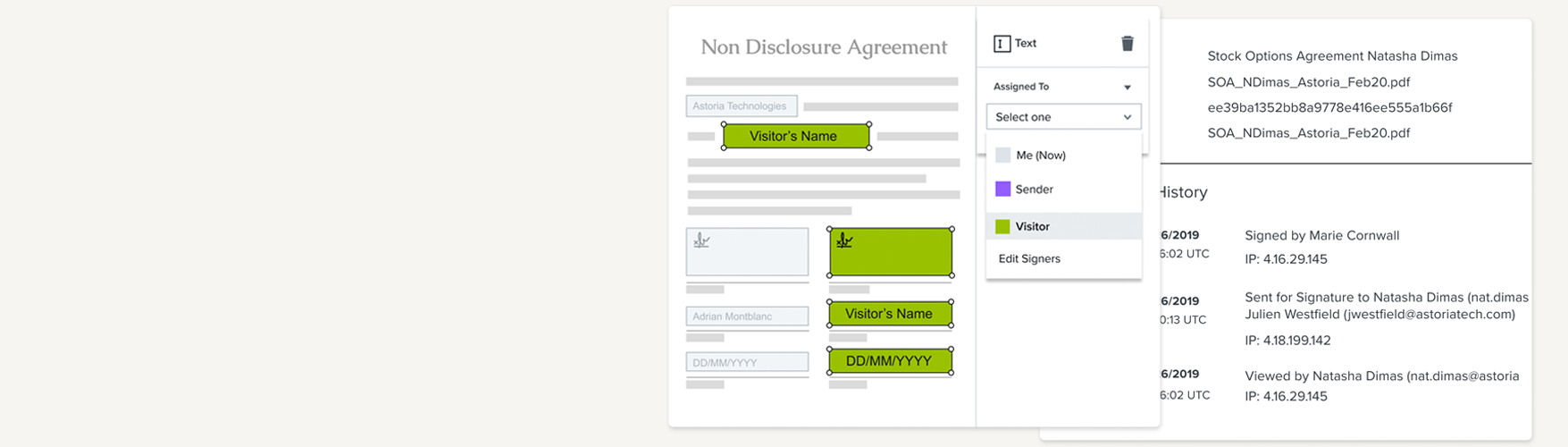
A document that needs to be signed can easily be uploaded from a computer or cloud storage to Dropbox Sign. Then, simply add the required input fields such as signature blocks, text fields, checkboxes etc. and send the document via email to the client. Frequently used documents that only require minor changes (e.g. updating specific details) can be saved as templates within Dropbox Sign. This way, the document only needs to be created once and can be reused from there.
' With dropbox Sign, contracts are signed up to 80% faster than traditional paper-based contracts.'
Sign
The signer receives an email with a link to the document to be signed, within the secure environment of Dropbox Sign. Once the signer has completed and submitted the document, the finalized version is immediately available in the company's Dropbox Sign.
Manage
The eSignature solution includes a comprehensive dashboard for administrative management of access, storage and team member permissions. The dashboard also provides an overview of all signature requests and their progress. Based on this progress, you can choose to send a reminder from Dropbox Sign to a client who has not yet signed. Use advanced reporting to gain insights into user activity, compliance, turnaround rime and document status.
Document layout and branding can also be customized by adding a company logo and personalized messaging, ensuring all documents remain on-brand.
Data Security, Compliance and Privacy
Dropbox Sign encrypts and protects customer data and documents. All data is stored in infrastructure located in Europe or North America, depending on user preference. For each signed document, Dropbox Sign provides a tamper-proof audit trail showing when, by whom and where (IP address) the document was signed.
- All Dropbox Sign documents are encrypted at rest using AES 256-bit encryption
- All communication during signing is encrypted using TLS
- All backups are encrypted
- HSTS (HTTP Strict Transport Security) is enabled
- Dropbox Sign uses two levels of document encryption - each document is encrypted with a unique key (Document Encryption Key or DEK) and that DEK is then encrypted with a master key that is rotated regularly
Integration with Cloud Storage Apps
Already using a cloud storage app like Dropbox Business? Dropbox Sign integrates seamlessy with Dropbox, allowing users to prepare and send documents for signing directly within Dropbox. Once signed, the document is automatically saved back to Dropbox.
